2.7 Source Guard Server - Deployment Guide
2.7.1 Overview
Source Guard Server is a API server containing:
- Frontend
- API server
- Hybrid Vulnerability Identification Engine
- Vulnerability Repository
- Database
2.7.2 Development Setup
安装 Source Guard 扫描服务 | Source Guard Docs
1. Prepare the Docker Image
2. Prepare Vulnerability Repository
Refer to Vulnerability Repository.
ASTRI's CVEfixes is used for getting the relationship between source code (Git repos) and CVE and the commit used for fixing a CVE.
The the updated repos are pulled, snapshots are compiled at the before and after the fixes.
3. Start SourceGuard Server
4. Update Vulnerability Repository Workflow
PRP069-24CI / CVEfixes · GitLab
2.7.3 External Vulnerability Scanner
Nessus Cloud
-
Login to https://cloud.tenable.com
-
Prepare:
- API Access Key
- Secret Key
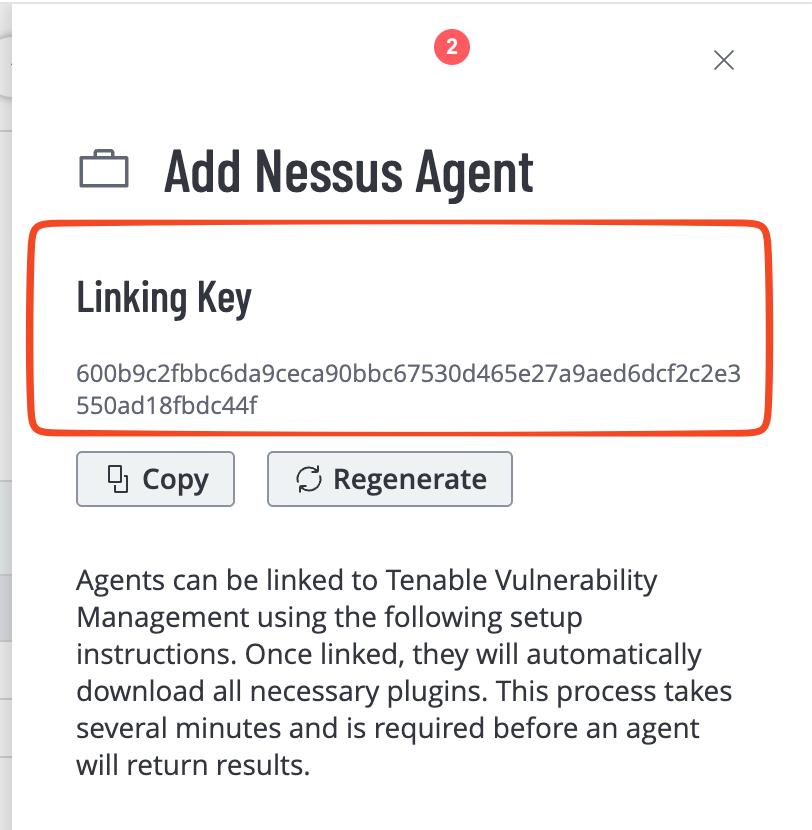
- Nessus Agent Linking Key
- Agent Scan Template ID
- Network Scan Template ID
i. API Access Key & Secret Key
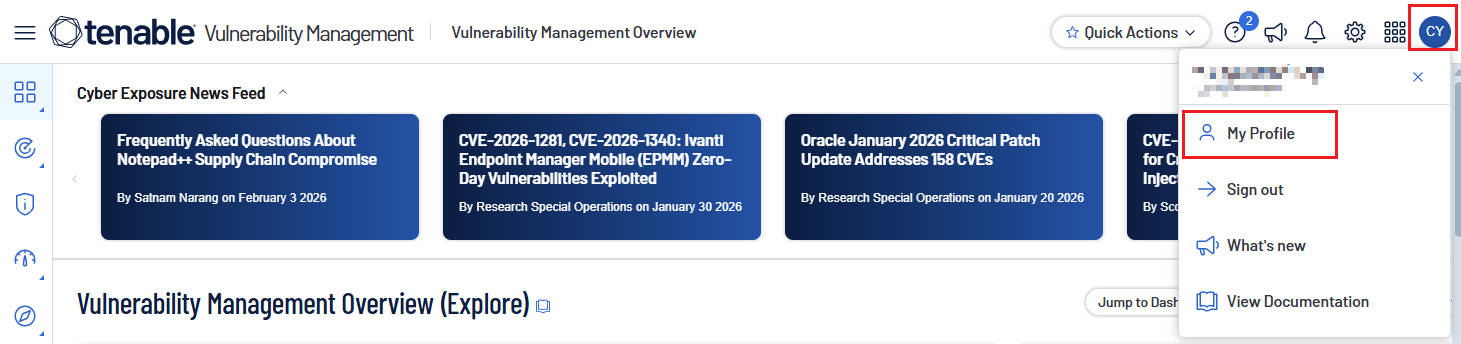
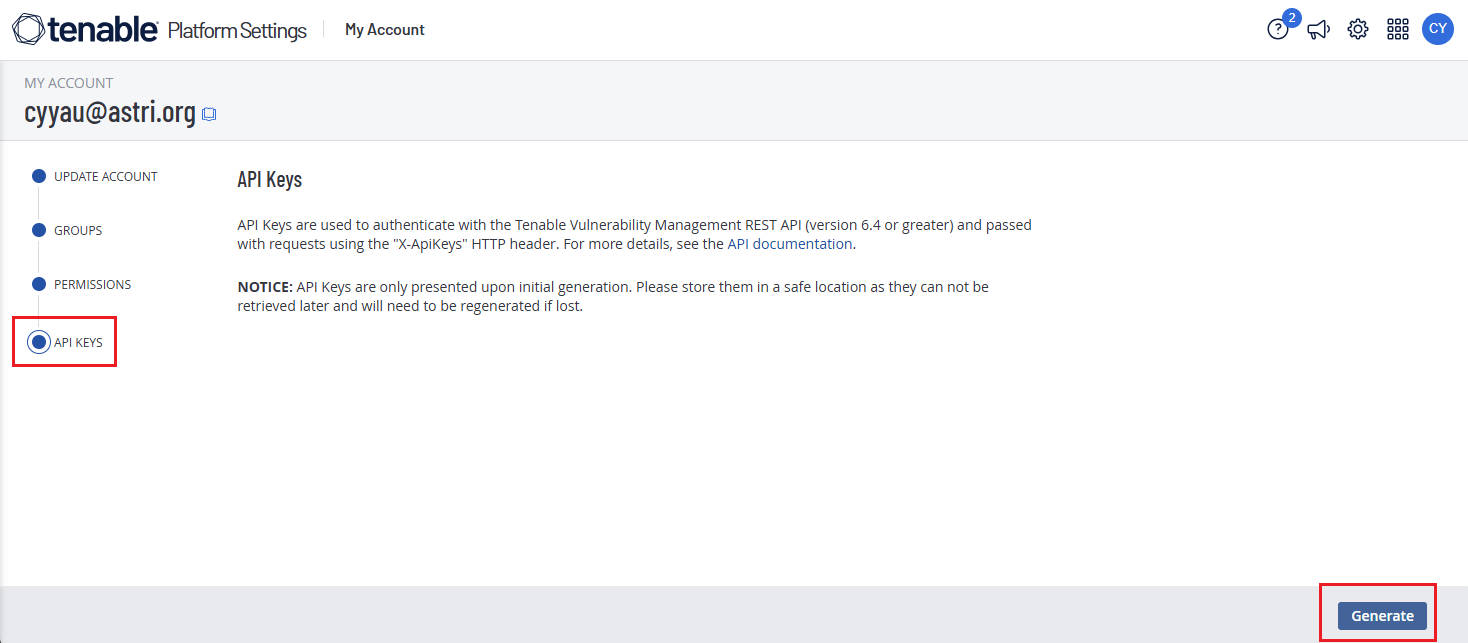
Press "Generate" and a new set of API Access Key & Secret Key will be generated.
ii. Nessus Agent Linking Key
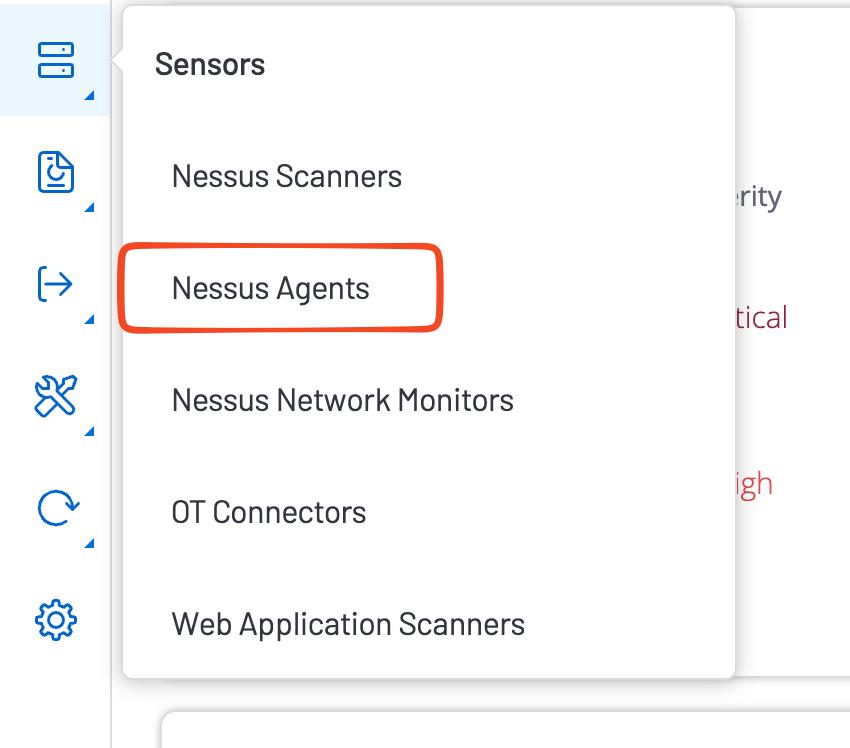
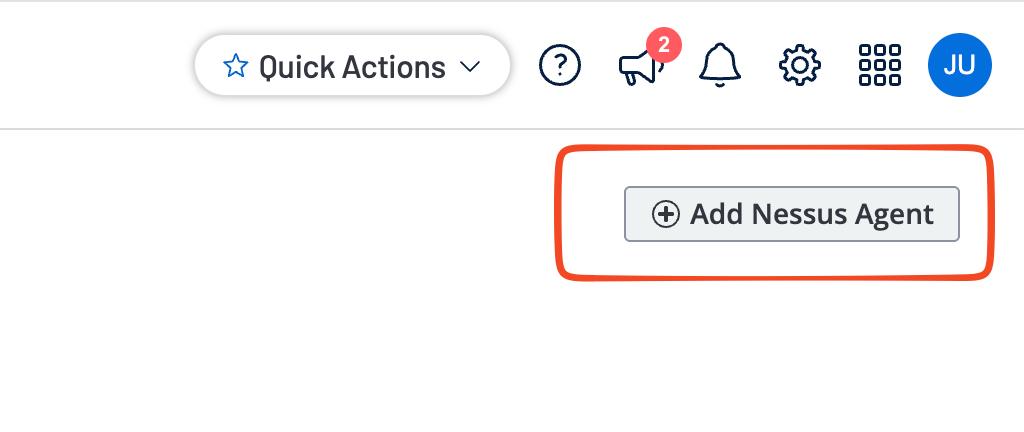
iii. Scan Template ID
Replace ACCESS_KEY and SECRET_KEY with values obtained from Step i.
curl --request GET \
     --url https://cloud.tenable.com/editor/scan/templates \
     --header "X-ApiKeys: accessKey=${ACCESS_KEY};secretKey=${SECRET_KEY}"
     --header 'accept: application/json'

# saving the above as `output.json`
jq ".templates[] | { desc, uuid, name }" output.json
Typically fill "Advanced Agent Scan" and "Advanced Network Scan" Template IDs to Plugin settings.
Use get_template_ids.py to assist you.
export accessKey=${ACCESS_KEY}
export secretKey=${SECRET_KEY}

./get_template_ids.py